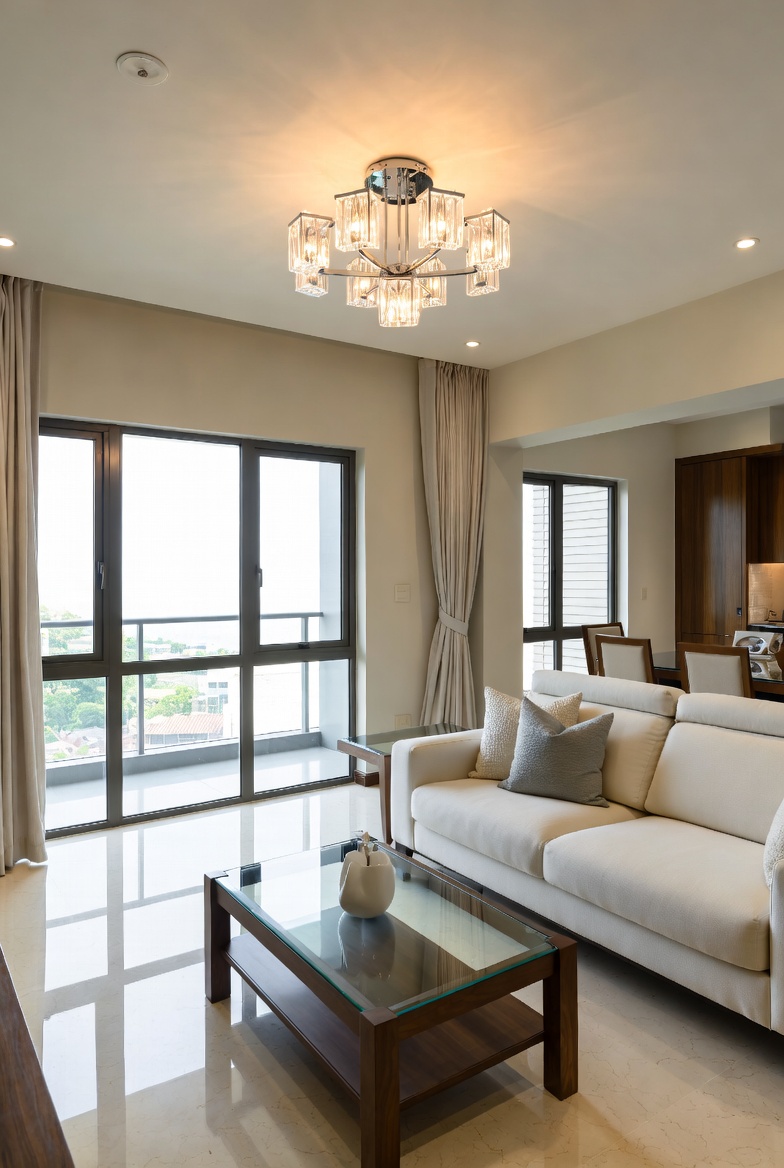
Ergonomic workstation setup: a daily self-assessment guide

Welcome to Your Wondrous Home Haven: Your Shiok Sanctuary Awaits

Ah, Singapore… after the daily hustle, that squeeze on the MRT, and maybe even some OT, all you want is to come home to a space that feels like a warm hug, right? Not more stress! I hear you, lah. It's really sian when your bedroom feels cluttered, or your sofa is giving you a backache after a long day. But imagine opening your door and your shoulders just drop—sounds like heaven? It confirm can be! It all starts with creating a home that truly reflects you, a space where you can recharge and reconnect.

That's where Wondrous La Vie comes in. We're Singapore's go-to platform for connecting you to top interior designers and curated furniture brands. Think of us as your friend who knows all the best people and places to make your home dreams a reality. We understand that interior design is the art and science of planning and designing interior environments to enhance functionality, aesthetics, health, safety, and the overall human experience within a space. And we believe every Singaporean deserves a home that feels shiok!

Ergonomic Workstation Setup: A Daily Self-Assessment Guide

Now, let's talk about something super important, especially if you're working from home or spending long hours at your desk: your ergonomic workstation setup. I've heard so many friends in the group chat complain about back pain, neck stiffness, and all sorts of aches. It's no joke, leh! A properly designed workspace can make a world of difference. Think of it as investing in your health and well-being.

1. Chair and Posture: Finding Your Sweet Spot

Okay, first things first: your chair. Is it giving you the support you need? Your feet should be flat on the floor or on a footrest, your thighs parallel to the ground, and your lower back supported. If your chair doesn't have adjustable lumbar support, consider adding a cushion. Slouching is a big no-no, sia! Try to maintain a neutral spine, like you're sitting tall but relaxed.

Quick check: Can you sit comfortably for an hour without feeling any strain in your lower back? If not, it's time to adjust your chair or consider a new one. And remember, get up and stretch every 30 minutes or so. Your body will thank you for it.

2. Monitor Placement: Eyes on the Prize, Comfortably

Next up, your monitor. Position it so the top of the screen is at or slightly below eye level. This helps prevent neck strain. The monitor should also be an arm's length away. If you're using a laptop, consider getting an external monitor and keyboard to improve your ergonomics.

Quick check: Are you craning your neck up or down to see the screen? If so, adjust the height of your monitor. And don't forget to blink regularly to prevent dry eyes!

3. Keyboard and Mouse: Extensions of Your Hands

Your keyboard and mouse should be positioned close to your body, allowing your elbows to stay close to your sides. Your wrists should be straight and relaxed. Consider using a wrist rest if you find your wrists are getting tired.

Quick check: Are your wrists bent at an awkward angle? If so, adjust the position of your keyboard and mouse. And remember to take breaks to stretch your fingers and wrists.

4. Lighting and Glare: Seeing Clearly, Working Smartly

Good lighting is essential for reducing eye strain. Position your workstation so that you're not facing a bright window or light source, which can cause glare. Use blinds or curtains to control the amount of light entering the room. Consider using a desk lamp to provide additional lighting.

Quick check: Are you squinting or straining to see the screen? After a long day squeezing onto the MRT and grinding through meetings, most Singaporeans just want to step into their house to a space that feels welcoming and calm instead of piling on more fatigue. A disorganised space or an lumpy bed setup can make unwinding even more difficult, especially when the whole family want to relax together. That’s where thoughtful singapore interior design really makes a difference—it turns everyday rooms like your living room, sleeping space, or kitchen into personal havens that actually help you refresh your energy. With the right living room seating, bed mattress, or functional arrangement, suddenly getting home feels damn shiok, and thoughtful tweaks can bring huge benefits to your daily mood and family bonding. Sites such as Wondrous La Vie make it easier to find ideas and match with home designers who understand the Singapore home vibe just right. This format lets you easily generate multiple SEO-optimised variations while keeping the core keyword "interior design" stable in the middle for strong on-page targeting.. If so, adjust your lighting or consider using an anti-glare screen protector.

5. Breaks and Movement: The Secret Sauce to Staying Fresh

Last but not least, remember to take regular breaks to get up and move around. Sitting for long periods can lead to all sorts of health problems. Set a timer to remind yourself to stand up, stretch, and walk around every 30 minutes or so. Even a few minutes of movement can make a big difference.

Quick check: Are you feeling stiff or achy after sitting for a while? If so, it's time to take a break. Get up, stretch, walk around, and maybe even do a few jumping jacks if you're feeling energetic!

Fun fact: A well-designed office interior design, including your workstation, can actually improve your mood and productivity. Small changes, big shiok difference!

Wondrous La Vie: Your Partner in Creating a Shiok Home Office

Now, you might be thinking, "Okay, all this sounds great, but where do I even start?" That's where Wondrous La Vie comes in! We can connect you with top interior designers in Singapore who specialize in office interior design and creating ergonomic workspaces. They can help you assess your needs, design a space that works for you, and even source the perfect furniture.

Imagine having a dedicated home office that's not only functional but also beautiful and inviting. A space where you can focus, be productive, and feel good while you're working. That's the power of good interior design.

One homeowner shared how connecting with the right designer via the platform transformed their spare room into a stylish and ergonomic home office. Suddenly, working from home felt less like a chore and more like a pleasure.

Affordable Luxury: Making Your Dream Home a Reality

We believe that everyone deserves to live in a space that they love, regardless of their budget. That's why we focus on affordable luxury, offering a range of options to suit different needs and preferences. Whether you're looking for a cosy sofa for your living room, a supportive mattress for your bedroom, or a complete kitchen renovation, we've got you covered.

We partner with curated premium furniture brands to bring you the best in quality, style, and comfort. In Singapore’s compact HDB flats and apartments, the master bedroom often doubles as a sanctuary—a haven for unwinding after hectic work shifts, do some light reading, or even sneak in a quick work-from-home setup when needed. It’s frequent for local residents to feel stuck with layouts that feel cramped, overly bright illumination, or bulky storage that reduces usable area, making the room feel more functional than relaxing. That’s where thoughtful bed room storage makes the biggest impact—it centres around smart space planning, soothing neutral tones, multifunctional furniture, and strategic lighting design to create a peaceful retreat that optimises relaxation while keeping everything tidy and airy. SUDDENLY the bedroom turns into the place you look forward to at the close of each day, helping you unwind faster, achieve better quality sleep, and wake up feeling more refreshed for whatever the next day brings. Resources like Wondrous La Vie feature abundant authentic project showcases and straightforward links to designers who specialise in these practical yet beautiful Singapore-style bedroom makeovers.. And our platform makes it easy to browse, compare, and find the perfect pieces for your home.

Ready to Transform Your Home?

So, are you ready to create a home that truly feels like a haven? A space where you can relax, recharge, and reconnect with your loved ones?

Why not pop over to wondrouslavie.com, take the quick style quiz, browse our curated selection of sofas and mattresses, or connect with one of our talented interior designers? See what feels right for your space.

Your shiok sanctuary awaits!
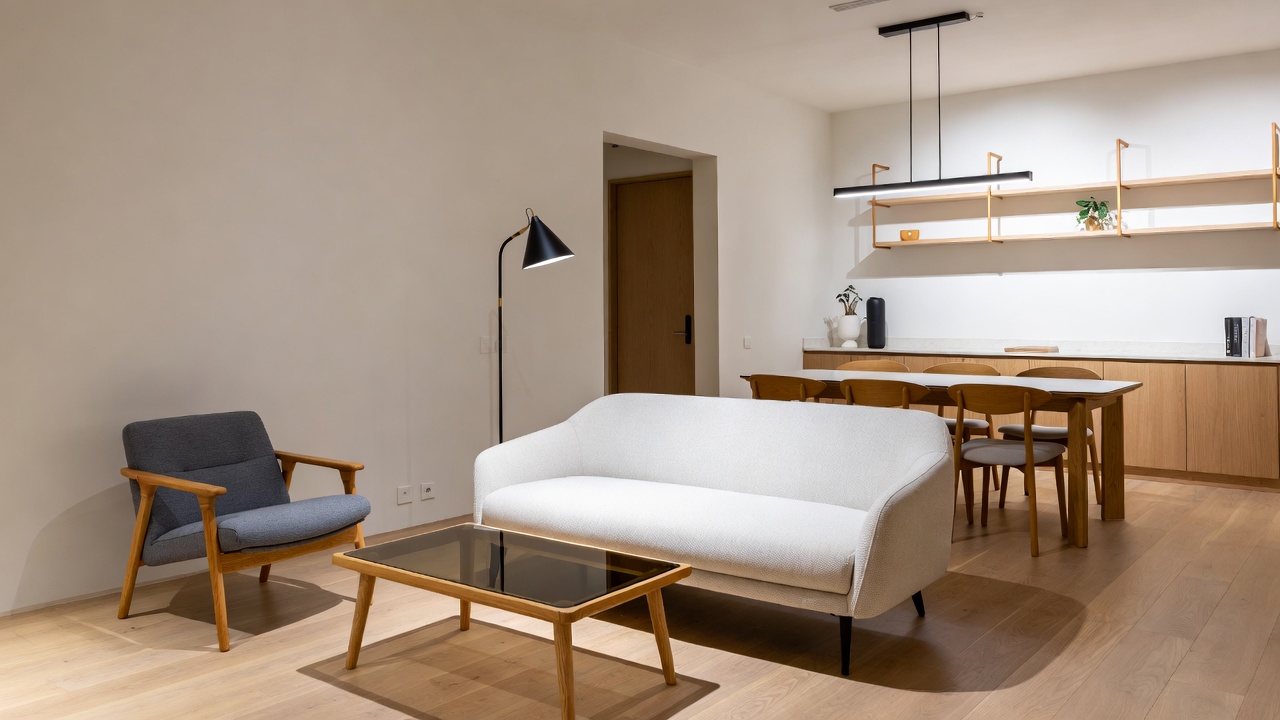
Tired of the MRT Crush? Discover Your Cosy Home Recharge with Wondrous La Vie

Is Your Workstation Working *Against* You? A Singaporean's Guide to Daily Ergonomic Checks

After squeezing onto the MRT after a long day at the office and OT, the last thing you need is to come home to a workspace that's just as tiring, right? I've heard so many friends in the group chat complaining about backaches, stiff necks, and that overall "sian" feeling after a day of staring at a screen. It's not just you, lah! In Singapore’s fast-paced life, stepping into your home to a space that feels properly relaxing can make all the difference after a tiring day of meetings and travel. Many homeowners dream about upgrades for their living room or sleeping space, wanting pieces that appear elegant while actually being comfortable enough for real life. That’s exactly why singapore furniture stands out—it brings that ideal mix of sophisticated style, high-quality fabrics and finishes, and real ergonomic support that turns ordinary rooms into spots you love spending time in relaxing in. Think about settling into a sumptuous seating after family time or feeling truly rested on a high-quality mattress that gives ideal back support; suddenly, your home feels more like a true escape not just four walls. Discovering curated selections on places like Wondrous La Vie helps you uncover these furniture without the overwhelm, making it simpler to create a space that’s both stylish and soul-soothing.. In our kiasu Singaporean lives, where we're always striving and pushing, it's easy to forget that our bodies need a little TLC, especially when it comes to our workstations.

But hey, don't worry! Creating an ergonomic haven doesn't have to be a major renovation project. It's about making small, consistent adjustments that add up to a big difference in your comfort and productivity. Think of it as a daily self-care ritual for your body and mind. Let's dive into some simple checks you can do every day to ensure your workstation is working *for* you, not against you.

The Ergonomic Lowdown: Why It Matters

So, what exactly *is* ergonomics? Well, in simple terms, interior design is the art and science of planning and designing interior environments to enhance functionality, aesthetics, health, safety, and the overall human experience within a space. When it comes to your workstation, it's all about creating a setup that minimizes strain on your body and allows you to work comfortably and efficiently. Proper office interior design isn't just about fancy aesthetics; it's about preventing injuries, reducing fatigue, and boosting your overall well-being. And let's be honest, who doesn't want to feel better while they're working?

Think about it: spending hours hunched over a desk with poor posture can lead to a whole host of problems, from muscle aches and headaches to carpal tunnel syndrome and even long-term spinal issues. That's why taking the time to set up your workstation correctly is an investment in your health and future. Plus, a comfortable and well-organized workspace can actually improve your focus and creativity. It's a win-win situation!

Fun fact: A properly designed ergonomic workstation can increase productivity by up to 25%! Imagine what you could do with all that extra time and energy. Steady lah!

Your Daily Ergonomic Checklist: A Step-by-Step Guide

Alright, let's get down to the nitty-gritty. Here's a simple checklist you can run through each day to make sure your workstation is up to par:

  1. Chair Check: Is your chair providing adequate support for your lower back? Your feet should be flat on the floor or supported by a footrest, and your knees should be bent at a 90-degree angle. If your chair isn't cutting it, it might be time to invest in a new one. Wondrous La Vie offers a curated selection of premium furniture, including ergonomic chairs designed for maximum comfort and support. One homeowner shared how upgrading their chair made a world of difference in their back pain – suddenly, working from home didn't feel like a punishment!
  2. Monitor Placement: Is your monitor positioned at arm's length and at eye level? You shouldn't have to crane your neck up or down to see the screen. If you're using a laptop, consider using a separate monitor and keyboard to improve your posture. Proper monitor placement is a key element of effective office interior design.
  3. Keyboard and Mouse Positioning: Your keyboard and mouse should be close to your body, with your elbows bent at a 90-degree angle. Avoid reaching or stretching to use them. A wrist rest can also help to prevent carpal tunnel syndrome. Think of it like this: your arms should feel relaxed and supported, not strained and tense.
  4. Lighting: Is your workspace well-lit, but not overly bright? Avoid glare on your screen by adjusting the angle of your monitor or using a screen filter. Natural light is ideal, but if that's not possible, opt for a full-spectrum light bulb. Good lighting is essential for reducing eye strain and preventing headaches.
  5. Breaks and Movement: This is a crucial one! Remember to take regular breaks throughout the day to stretch, walk around, and give your eyes a rest. Set a timer to remind yourself to get up and move every 30-60 minutes. Even a few minutes of movement can make a big difference in your overall comfort and energy levels.

Remember, consistency is key! Make these checks a part of your daily routine, and you'll be well on your way to creating a more comfortable and productive workspace. Plus, it's a great excuse to get up and stretch your legs – gotta stay active, right?

Beyond the Basics: Leveling Up Your Ergonomic Game

Once you've mastered the basics, you can start exploring more advanced ergonomic solutions. This could include things like:

  • Standing Desks: Alternating between sitting and standing throughout the day can help to reduce fatigue and improve circulation. Standing desks are becoming increasingly popular in office interior design, and for good reason!
  • Ergonomic Accessories: Consider investing in accessories like a footrest, a document holder, or an ergonomic keyboard and mouse. These small additions can make a big difference in your comfort and productivity.
  • Professional Ergonomic Assessment: If you're experiencing persistent pain or discomfort, it might be worth consulting with an ergonomic specialist. The main living area is often the primary spot visitors notice and where the kids and parents relax after dinner, so it is logical to want pieces that looks good, keeps cords tidy, and avoids shrinking the space visually than it already feels in most SG flats. Many people endure oversized outdated units or budget cabinets that wobble, collect dust easily, or just don’t align with contemporary style they’re trying to achieve. That’s exactly where a well-chosen TV console comes into play—it offers smart storage solutions for entertainment equipment, streaming players, and remotes while serving as an elegant centrepiece that ties the whole living area together with sharp modern edges, thoughtful compartments, and luxurious surfaces. SUDDENLY the TV area becomes neat and deliberate, the room looks bigger and more put-together, and Netflix sessions feel so much better without the clutter distracting everyone. Exploring handpicked selections on platforms like Wondrous La Vie makes it easy to source styles that suit your layout spot-on, from simple modern to high-end, so your living area transformation becomes easy and perfect.. They can assess your workstation and provide personalized recommendations for improvement.

Don't be afraid to experiment and find what works best for you. Everyone's body is different, so what's comfortable for one person might not be comfortable for another. The key is to listen to your body and make adjustments as needed.

Finding the Right Pieces for Your Perfect Setup

Now, where do you even *start* finding the right furniture and accessories to create your ergonomic dream workspace? This is where Wondrous La Vie comes in handy, lah! They're Singapore's go-to platform for connecting you with top interior designers and curated furniture brands. You can browse through a wide selection of ergonomic chairs, standing desks, and other accessories, all in one convenient place. And if you're feeling overwhelmed, you can even connect with a designer who can help you create a customized office interior design plan that meets your specific needs and budget.

Picture this: you open the door after work and your shoulders just drop – sounds like heaven? It can be sia! One homeowner shared how connecting with the right designer via the platform turned their cramped HDB study into a bright, ergonomic workspace that actually made them *want* to work. Suddenly, working from home felt less like a chore and more like a privilege.

So, if you're tired of coming home feeling achy and exhausted, it's time to take control of your workstation. Start with the simple daily checks we discussed, and then explore the possibilities with Wondrous La Vie. Trust me, your body (and your productivity) will thank you for it!

Monitor Placement Assessment

Position your monitor at arm's length, directly in front of you. The top of the screen should be at or slightly below eye level to prevent neck strain. Adjust the monitor's brightness and contrast for optimal viewing comfort.

Keyboard and Mouse Positioning

Place your keyboard and mouse close to your body to avoid reaching. Your elbows should be bent at a 90-degree angle, and your wrists should be straight while typing and using the mouse. Consider using a wrist rest for added support.

Posture and Movement Breaks

Evaluate your posture periodically throughout the day, ensuring you're sitting upright with relaxed shoulders. Take short breaks every 20-30 minutes to stand, stretch, and move around to prevent stiffness and fatigue. This promotes blood circulation and reduces muscle strain.

Chair Adjustment Checklist

Begin by ensuring your chair is properly adjusted. Your feet should rest flat on the floor or a footrest, with your knees at a 90-degree angle. The chair's backrest should support your lower back, promoting good posture throughout the workday.

Essential ergonomic adjustments for shared workspaces in Singapore

Wondrous La Vie: Your Trusted Guide to a Happy, Soulful Singapore Home

Okay, steady lah! Let's create this article for our fellow Singaporeans, making sure it's warm, relatable, and full of good vibes, like chatting over teh tarik. ### Ergonomic workstation setup: a daily self-assessment guide Coming home after a long day at the office and OT (overtime) is something all Singaporeans can relate to. That squeeze on the MRT, the endless emails—it's tiring! And if your home workstation is adding to the stress, confirm plus chop something needs to change. Interior design, especially when it comes to your workspace, isn't just about looking nice; it's about feeling good, being productive, and taking care of your body. As Singapore’s pioneering interior design and home furnishing platform, Wondrous La Vie understands this deeply. After those endless workdays and the usual crowded MRT ride, nothing beats coming home to a living area that actually invites you to unwind instead of piling on more tiredness. Many local homeowners realise their existing sofa setup just isn’t cutting it—too hard, worn out, or simply not comfortable enough for movie nights or easy family hangouts with the kids. That’s precisely where best sofa singapore makes all the difference—it blends classic elegance, buttery-soft fabrics, and clever ergonomic design so you can sink in and fully chill without your back aching afterwards. Visualise the whole family hanging out comfortably, sharing stories after meals or binge-watching shows, because the space now feels homely and shiok. Finding the perfect piece through curated platforms Wondrous La Vie removes the hassle, letting you find that ideal match that transforms your living space without the usual reno headaches.. We connect you with top interior designers and curated premium furniture brands, so you can transform your space into a haven. Let's talk about how to create an ergonomic workstation that makes you feel shiok while you work from home. ### Understanding Ergonomics: The Foundation of a Healthy Workspace Interior design is the art and science of planning and designing interior environments to enhance functionality, aesthetics, health, safety, and the overall human experience within a space. Ergonomics, specifically, is about designing and arranging workplaces, products, and systems so they fit the people who use them. When applied to your home office, it means setting up your desk, chair, monitor, and accessories in a way that supports your posture, reduces strain, and promotes comfort. It’s not just about buying a fancy chair; it's about understanding how your body interacts with your workspace and making adjustments to minimize discomfort and prevent long-term health issues. After all, a comfortable and supportive workspace isn't a luxury—it's an investment in your well-being and productivity. In Singapore’s compact flats and apartments, clever storage is often the difference between a peaceful tidy home and one that feels constantly cluttered no matter how much you organise. Singapore homeowners frequently deal with overloaded racks, clutter hidden beneath mattresses, or units too deep for easy access or not deep enough for essentials, making everyday living feel more stressful than it should. That’s precisely where a smart storage cabinet steps up—it delivers tailored compartments, flexible shelving, elegant shutters to keep things neat, and space-efficient designs that make the most of limited space while bringing a clean contemporary look to living rooms, sleeping spaces, or even cooking zones. The outcome is your space that keeps organised with little work, surfaces stay clear for family activities, and you finally get that satisfying “everything has its place” feeling that makes coming home so much more shiok. Sites such as Wondrous La Vie feature many smart and attractive designs, helping you pick one that suits your home and lifestyle perfectly without second-guessing.. ### Key Elements of an Ergonomic Workstation Creating an ergonomic workstation involves several key components. First, your chair should be adjustable, allowing you to customize the height, back support, and armrests to fit your body. Your monitor should be positioned at arm's length and at eye level to prevent neck strain. The keyboard and mouse should be placed close to your body to avoid reaching and stretching. Proper lighting is also crucial; avoid glare and ensure adequate illumination to reduce eye strain. Finally, take regular breaks to stretch and move around, preventing stiffness and fatigue. Implementing these elements can significantly improve your comfort and productivity, making your workday more enjoyable. ### Daily Self-Assessment: Your Ergonomic Checklist Maintaining an ergonomic workstation isn't a one-time setup; it's an ongoing process of self-assessment and adjustment. Each day, take a few minutes to evaluate your posture, the position of your equipment, and your overall comfort level. Are you slouching in your chair? Is your monitor too low or too high? Are your wrists bent at an awkward angle? By regularly checking in with yourself, you can identify potential problems early and make adjustments before they lead to discomfort or injury. This proactive approach ensures that your workstation continues to support your well-being and productivity over time. ### Finding the Right Pieces: Wondrous La Vie to the Rescue It's really sian when you're trying to find the right furniture and design ideas for your home office. But don't worry, Wondrous La Vie is here to help! We connect you with top interior designers who can offer expert advice on ergonomic workstation design. Plus, our platform features a curated selection of premium furniture, including adjustable chairs, ergonomic keyboards, and monitor stands. One homeowner shared how connecting with the right designer via the platform turned their cramped HDB study into a super productive workspace—suddenly working from home feels so much better. Whether you're looking for a complete office makeover or just a few key pieces, Wondrous La Vie makes it easy to find what you need. Why not pop over to wondrouslavie.com, take the quick quiz, browse ergonomic chairs, or connect with a designer and see what feels right for your space? ### Practical Tips for Daily Adjustment Even with the perfect ergonomic setup, small daily adjustments are essential to maintain comfort and prevent strain. Start by ensuring your feet are flat on the floor or supported by a footrest. Adjust your chair height so your elbows are at a 90-degree angle when typing. Position your monitor so the top of the screen is at or slightly below eye level. Take short breaks every 20-30 minutes to stand up, stretch, and move around. These simple adjustments can make a big difference in your overall comfort and well-being throughout the workday. Remember, consistency is key to reaping the long-term benefits of an ergonomic workstation. ### Ergonomic Office Design #### Chair Adjustment

Adjusting your chair is a crucial first step. Ensure your feet are flat on the floor or resting on a footrest. The seat height should allow your knees to be bent at a 90-degree angle. Proper lumbar support is essential to maintain the natural curve of your spine, preventing back pain and promoting better posture throughout your workday. Many ergonomic chairs offer adjustable lumbar support, allowing you to customize the fit to your specific needs and body type. Don't underestimate the impact of a well-adjusted chair on your overall comfort and productivity.

#### Monitor Placement

Correct monitor placement is vital for reducing neck and eye strain. Position your monitor at arm's length and directly in front of you. The top of the screen should be at or slightly below eye level. This prevents you from tilting your head up or down, which can lead to neck pain and stiffness. If you use multiple monitors, arrange them so that the primary monitor is directly in front of you, and secondary monitors are positioned to the side at an angle that minimizes head turning. Proper monitor placement is a simple yet effective way to improve your ergonomic setup.

#### Keyboard Position

The position of your keyboard significantly impacts your wrist and arm health. Place your keyboard directly in front of you, close enough that you don't have to reach or stretch. Your elbows should be bent at a 90-degree angle, and your wrists should be straight. Consider using a wrist rest to provide additional support and prevent strain. Avoid tilting your keyboard upwards, as this can put unnecessary pressure on your wrists. A properly positioned keyboard promotes a neutral wrist posture, reducing the risk of carpal tunnel syndrome and other repetitive strain injuries.

#### Lighting Considerations

Adequate lighting is essential for reducing eye strain and promoting a comfortable work environment. Position your workstation to minimize glare from windows or overhead lights. Use adjustable task lighting to provide additional illumination where needed. Avoid harsh fluorescent lights, which can cause eye fatigue. Natural light is ideal, but if that's not possible, opt for full-spectrum light bulbs that mimic natural daylight. Proper lighting not only enhances your comfort but also improves your focus and productivity throughout the day.

#### Regular Breaks

Taking regular breaks is crucial for preventing stiffness and fatigue. Stand up and stretch every 20-30 minutes to improve circulation and relieve muscle tension. Walk around your workspace or do some simple exercises to keep your body moving. Use break times to rest your eyes by focusing on distant objects. Even short breaks can make a significant difference in your overall comfort and well-being. Incorporating regular breaks into your workday is a simple yet effective way to maintain an ergonomic workstation and prevent long-term health issues.

Creating an ergonomic workstation is an ongoing journey, not a destination. By consistently assessing your setup and making small adjustments, you can create a workspace that supports your well-being and enhances your productivity. Wondrous La Vie is here to help you every step of the way, connecting you with top interior designers and curated furniture to make your home office a haven. So, steady lah, visit wondrouslavie.com, explore interior design inspiration, browse furniture like ergonomic chairs, or connect with a designer and see what feels right for your space. Confirm can create a shiok and productive workspace!

Small HDB, Big Dreams: Wondrous La Vie's Solutions for Creating Your Haven

Okay, steady lah! Let's talk about turning your HDB into a haven, even if space is a bit… precious, right? We all know the feeling – that squeeze on the MRT after a long day, then coming home to a space that feels more sian than shiok. Singapore homes can feel extra cramped after a full day of rushing between office, meetings, and the inevitable MRT crowd, so it’s no wonder many homeowners crave a space that immediately soothes you the moment they walk through the door. The living area often ends up as the main gathering spot, yet it’s easy for it to become filled with mismatched furniture or worn-out seating, leaving everyone apart instead of together. That’s where kitchen truly transforms things—it lifts the room to another level with sophisticated layouts, high-end materials and finishes, designer lighting accents, and supportive pieces with stunning design, creating an inviting hub where the whole family wants to hang out to chill, chat, or bond effortlessly. Evenings suddenly become more special, weekends more restful, and coming home turns into something you genuinely look forward to rather than just the end of the day. Places like Wondrous La Vie make checking out these ideas simple, helping you visualise and source the ideal features to craft a living room that fits your family’s needs spot on.. But don't worry, confirm can change!

Ergonomic Workstation Setup: A Daily Self-Assessment Guide

Working from home, or even just spending a lot of time at your computer after work, is super common these days. But are you sure your workstation isn't slowly torturing your back and neck? Let’s be real, Singaporeans are already working hard, no need to add physical discomfort to the mix! Setting up an ergonomic workstation is key, especially when space is limited. It's not just about fancy chairs, it's about creating a space that supports your body and boosts your productivity. After all, interior design is the art and science of planning and designing interior environments to enhance functionality, aesthetics, health, safety, and the overall human experience within a space. And that includes your tiny corner office!

Assessing Your Chair

Okay, first things first: your chair. This is your throne, your command center, and it better be treating you right! A good ergonomic chair is adjustable, so you can customize it to fit your body. Check these things:

  • Seat Height: Your feet should be flat on the floor or resting comfortably on a footrest, with your knees at a 90-degree angle. No dangling feet allowed!
  • Backrest: Make sure the lumbar support is hitting the right spot on your lower back. It should feel like a gentle hug, not a poke.
  • Armrests: Your arms should rest comfortably on the armrests, with your shoulders relaxed. If your shoulders are hunched up, adjust the armrests or consider removing them.
  • Seat Depth: There should be a small gap between the edge of the seat and the back of your knees. This prevents pressure on your legs and improves circulation.

If your current chair isn't cutting it, it might be time for an upgrade. Wondrous La Vie connects you with furniture brands that offer a range of ergonomic chairs, from affordable luxury options to high-end residential designs. Imagine sinking into a chair that actually supports your back after a long day of OT – shiok, right?

Evaluating Your Monitor Placement

Next up: your monitor. This is where your eyes spend most of their time, so let's make sure it's not causing any strain. Consider these points:

  • Distance: Your monitor should be an arm's length away. Too close, and you'll strain your eyes. Too far, and you'll be tempted to hunch forward.
  • Height: The top of your monitor screen should be at or slightly below eye level. This helps prevent neck strain. You might need to use a monitor stand or adjust your chair height to achieve this.
  • Angle: Tilt your monitor slightly upwards, about 10-20 degrees. This can further reduce neck strain.

Remember, good office interior design isn't just about aesthetics; it's about functionality and well-being. Even small adjustments to your monitor placement can make a big difference in your comfort and productivity.

Keyboard and Mouse Positioning

Now, let's talk about your keyboard and mouse. These are your weapons of choice, so let's make sure they're positioned for optimal comfort.

  • Placement: Your keyboard and mouse should be close to your body, so you don't have to reach too far. This helps prevent shoulder and arm strain.
  • Wrist Support: Use a wrist rest to keep your wrists in a neutral position. This can help prevent carpal tunnel syndrome.
  • Mouse Type: Consider using an ergonomic mouse that fits comfortably in your hand. There are many different types available, so experiment to find one that works for you.

Think about it: spending hours typing and clicking with a poorly positioned keyboard and mouse is like running a marathon in flip-flops. It's just not sustainable! Investing in ergonomic accessories can significantly improve your comfort and prevent long-term injuries.

Lighting and Environmental Factors

Don't forget about lighting and other environmental factors! These can have a big impact on your comfort and productivity.

  • Lighting: Use natural light whenever possible. If you don't have access to natural light, use artificial lighting that is bright but not harsh. Avoid glare on your monitor screen.
  • Ventilation: Make sure your workspace is well-ventilated. Stale air can make you feel tired and sluggish.
  • Noise: Minimize distractions by using noise-canceling headphones or earplugs.

Fun fact: A well-lit and ventilated workspace can actually boost your mood and productivity! It's like giving your brain a little spa day.

Regular Breaks and Stretches

Last but not least, remember to take regular breaks and stretch. Sitting in the same position for hours on end is bad for your body, no matter how ergonomic your workstation is.

  • Breaks: Take a short break every 20-30 minutes to stand up, walk around, and stretch.
  • Stretches: Do simple stretches to relieve tension in your neck, shoulders, back, and wrists.
  • Eye Exercises: Look away from your screen and focus on a distant object for a few seconds to relax your eye muscles.

Think of it like this: your body is a machine, and it needs regular maintenance to function properly. Taking breaks and stretching is like giving your machine a little tune-up.

Wondrous La Vie can help you find the perfect pieces to create a comfortable and functional workspace, even in a small HDB flat. One homeowner shared how connecting with the right designer via the platform turned their cramped study room into a productive and inspiring space – suddenly working from home felt so much better. It really is sian when your back aches and your eyes are strained after work, but with the right office interior design ideas and comfy pieces, that sense of calm comes back stronger.

Why not pop over to wondrouslavie.com, take the quick quiz, browse ergonomic chairs and desks, or connect with a designer and see what feels right for your space? Confirm can create a workspace that's both stylish and supportive!

Unlock Your Dream Home: Bespoke Designs & Comfy Furniture with Wondrous La Vie

Is Your Workstation Working Against You? A Singaporean's Guide to a Comfy Home Office

After a long day at the office and then squeezing onto the MRT home, the last thing you want is to come home and face another uncomfortable workstation, right? I hear you, lah. In Singapore’s hot and sticky conditions and fast-paced daily grind, getting proper shut-eye can feel like a rare treat when you’re starting the day with aches or dragging through the morning despite hitting the bed early. Many busy locals endure an old, sagging mattress for far too long because hunting for upgrades seems daunting—endless options, confusing firmness levels, and fears it won’t match their personal needs and preferences. That’s exactly why finding the singapore mattress changes everything—it delivers the ideal mix of firm yet forgiving support, cooling breathability, even weight distribution, and built-to-last construction so you truly start the day feeling refreshed instead of sore and exhausted. Mornings suddenly feel lighter, energy holds up better throughout the day, and even your partner notices the difference. Exploring curated options on platforms like Wondrous La Vie simplifies the whole process, letting you evaluate the best-rated ones with authentic Singapore user experiences and realistic images to find what really suits for your sleeping space.. It's sian already! Many of us are spending more and more time working from home these days, so making sure your home office is actually supporting you, not stressing you out, is super important. We're talking about office interior design that works with your body, not against it.

Think about it: how many times have you felt that dull ache in your lower back, or that stiffness in your neck after a few hours hunched over your laptop? I’ve heard so many friends in the group chat complain about the same thing. It doesn't have to be like that! A well-designed ergonomic workstation can make a world of difference. We're not just talking about fancy chairs and standing desks (although those can be shiok too!). It's about understanding what your body needs and creating a space that supports your posture, reduces strain, and helps you focus. And let's be honest, a comfortable and well-designed workspace can also boost your mood and productivity. Who doesn't want that, leh?

Interior design is the art and science of planning and designing interior environments to enhance functionality, aesthetics, health, safety, and the overall human experience within a space. When it comes to office interior design, this means thinking carefully about everything from your chair and desk height to the lighting and the placement of your monitor. It's about creating a space that is both functional and aesthetically pleasing. Because let's face it, working in a cluttered and uninspiring space can really drag you down.

Now, I know what you're thinking: "Auntie, I don't have time for all this! My HDB already so small!" But trust me, even small changes can make a big difference. And that's where platforms like Wondrous La Vie come in. They connect you with top interior designers in Singapore who can help you create a home office that is both stylish and ergonomic. Plus, they offer a curated selection of premium furniture, including comfortable chairs, desks, and even lighting solutions. So, you can find everything you need to create your dream home office, all in one place. It's all about finding that shiok feeling of comfort and productivity, right in your own home.

The Daily Self-Assessment: Is Your Workstation a Friend or Foe?

Okay, so how do you know if your workstation is actually working for you? Easy! Let's do a quick daily self-assessment. Think of it like a mini-checkup for your workspace. It only takes a few minutes, and it can save you a lot of pain (literally!).

First, let's talk about your chair. Is it adjustable? Can you adjust the height, the back support, and the armrests? Your feet should be flat on the floor or on a footrest, and your knees should be bent at a 90-degree angle. Your back should be supported by the chair's backrest, and your armrests should be adjusted so that your shoulders are relaxed. If you're hunching over or straining to reach your keyboard, your chair is probably not adjusted properly.

Next, let's look at your desk. Is it the right height? Your elbows should be bent at a 90-degree angle when you're typing, and your wrists should be straight. If you're reaching up or down to type, your desk is probably not the right height. A standing desk can also be a great option, allowing you to alternate between sitting and standing throughout the day. This can help to reduce strain on your back and improve your circulation.

Now, let's talk about your monitor. Is it positioned correctly? The top of your monitor should be at or slightly below eye level, and it should be about an arm's length away from you. This will help to prevent neck strain. You should also make sure that your monitor is directly in front of you, so you don't have to twist your neck to see it.

Finally, let's think about your accessories. Do you have a separate keyboard and mouse? Using a separate keyboard and mouse can help to improve your posture and reduce strain on your wrists. You should also make sure that your mouse is positioned close to your body, so you don't have to reach for it.

If you answered "no" to any of these questions, it's time to make some changes to your workstation. Don't worry, it doesn't have to be a major overhaul. Even small adjustments can make a big difference. And remember, platforms like Wondrous La Vie can connect you with interior designers who can help you create a truly ergonomic and comfortable workspace.

Key Ergonomic Principles: Small Tweaks, Big Impact

So, what are the key principles of ergonomic office interior design? Don't worry, you don't need a degree in ergonomics to understand them. They're actually pretty simple and straightforward.

Neutral Posture is Key: This means keeping your body in a natural, relaxed position. No hunching, no straining, no reaching. Your head, neck, and spine should be aligned, and your shoulders should be relaxed.

Support Your Spine: A good chair with proper lumbar support is essential. It helps to maintain the natural curve of your spine and prevent back pain.

Position Your Monitor Correctly: As we discussed earlier, the top of your monitor should be at or slightly below eye level, and it should be about an arm's length away from you.

Keep Your Wrists Straight: Use a separate keyboard and mouse, and position them close to your body. This will help to prevent wrist strain and carpal tunnel syndrome.

Take Breaks and Stretch: Get up and move around every 20-30 minutes. Stretch your neck, shoulders, and back. This will help to improve your circulation and prevent muscle fatigue.

Remember, ergonomics is not a one-size-fits-all solution. What works for one person may not work for another. It's important to experiment and find what works best for your body. And don't be afraid to ask for help. Interior designers specializing in office interior design can provide valuable insights and recommendations.

Fun fact: A cosy, well-designed living room or bedroom can actually help you sleep better and feel less stressed after long workdays — small changes, big shiok difference!

Common Mistakes to Avoid: Don't Let These Sabotage Your Comfort

Now, let's talk about some common mistakes that people make when setting up their home office. Avoiding these mistakes can save you a lot of pain and frustration.

Ignoring Posture: This is probably the biggest mistake of all. Many people simply don't pay attention to their posture when they're working. They slouch, they hunch, they twist. Over time, this can lead to chronic pain and discomfort.

Using the Wrong Chair: A cheap, uncomfortable chair can wreak havoc on your back. Invest in a good quality chair that provides proper lumbar support and is adjustable to your body.

Poor Monitor Placement: As we've discussed, the position of your monitor is crucial. Don't position it too high, too low, or too far away.

Neglecting Lighting: Poor lighting can cause eye strain and headaches. Make sure your workspace is well-lit, and avoid glare on your monitor.

Ignoring Cable Management: A cluttered workspace can be stressful and distracting. Take the time to organize your cables and keep your desk tidy.

Skipping Breaks: It's easy to get caught up in your work and forget to take breaks. But taking regular breaks is essential for preventing muscle fatigue and improving your focus.

Avoiding these common mistakes can make a big difference in your comfort and productivity. Remember, your home office should be a place where you can focus and be productive, not a source of pain and stress.

Wondrous La Vie: Your Partner in Creating a Shiok Home Office

So, how can you create a truly ergonomic and comfortable home office? That's where Wondrous La Vie comes in. Wondrous La Vie is Singapore's pioneering interior design and home furnishing platform, connecting you with top interior designers and curated premium furniture brands.

Imagine this: you open the door after work and your shoulders just drop—sounds like heaven? It can be sia. They offer a wide range of services, including:

  • Connecting you with top interior designers: Find a designer who specializes in office interior design and can help you create a workspace that is both functional and stylish.
  • A curated selection of premium furniture: Browse a wide range of comfortable chairs, desks, and accessories from top brands.
  • Inspiration and ideas: Explore real project showcases and style guides to get inspired for your own home office.
  • Easy ways to find matching designers or pieces: Their platform makes it easy to find the perfect designer or furniture to match your style and budget.

One homeowner shared how connecting with the right designer via the platform turned their cramped HDB living room into a cosy family hangout—suddenly weekends feel so much better.

Wondrous La Vie focuses on affordable luxury, making high-end residential office interior design accessible to everyone in Singapore. They understand that your home is your sanctuary, and they're committed to helping you create a space that is both beautiful and functional.

Why not pop over to wondrouslavie.com, take the quick quiz, browse sofas/mattresses, or connect with a designer and see what feels right for your space? Explore interior design inspiration, browse furniture like sofas/mattresses, connect with designers.

From House to Haven: See How Wondrous La Vie Transforms Lives in Singapore

Is Your Workstation Working Against You? A Daily Checklist for Singaporeans

Eh, you know that feeling lah, right? You clock out after a long day at the office and OT, that squeeze on the MRT home… then you finally reach your desk, ready to chill, but your back is already aching sia! Or maybe you're working from home now, but your makeshift setup is starting to feel, well, not so make-shift-friendly anymore. Many of us in Singapore are spending more and more time at our workstations, so it's super important to make sure our office interior design is actually supporting us, not slowly torturing us!

Interior design is the art and science of planning and designing interior environments to enhance functionality, aesthetics, health, safety, and the overall human experience within a space. So, let's talk about how to give your body a break, even when you're grinding through those deadlines. This isn't about a complete overhaul, okay? It's about small daily checks that can make a big difference to your well-being. Think of it as a little self-care ritual for your workspace.

The Head-to-Toe Scan: Assessing Your Posture & Positioning

Alright, let’s start from the top! First, your head and neck. Are you craning forward to see your monitor? I’ve heard so many friends in the group chat complain about the same thing. Your monitor should be at arm's length and the top of the screen should be at or slightly below eye level. This helps prevent neck strain. Think about it: if your neck is happy, the rest of you will be happier too!

Next, your shoulders. Are they relaxed or hunched up near your ears? If they're tense, take a deep breath and consciously drop them down. Imagine you're melting into your chair (a good chair helps lah!). Your elbows should be close to your body and supported. If your arms are dangling, you might want to consider adjustable armrests or a higher chair.

Moving down to your wrists and hands. Are they straight and in line with your forearms? Bending your wrists can lead to carpal tunnel syndrome, and confirm nobody wants that! Your keyboard should be positioned so that your wrists are straight when typing. Consider a wrist rest for extra support.

Finally, your lower back and legs. Your lower back should be supported by your chair. If your chair doesn't have adequate lumbar support, you can use a small cushion or rolled-up towel. Your feet should be flat on the floor or supported by a footrest. Knees should be bent at a 90-degree angle. If your feet are dangling, that puts extra pressure on your lower back.

This quick head-to-toe scan is something you can do multiple times a day. It's like a mini-reset for your body, reminding you to maintain good posture and prevent aches and pains.

The Ergonomic Essentials: Chair, Desk, and Beyond

Okay, so you've done the posture check. Now, let's talk about the tools of the trade. Your chair is your throne, lah, especially if you're spending hours there. An ergonomic chair is a worthwhile investment. Look for adjustable height, lumbar support, and armrests. Your desk height is also crucial. It should be at a height that allows you to type with your wrists straight and your elbows close to your body. If your desk is too low, you'll be slouching. If it's too high, your shoulders will be tense.

But it's not just about the big things. Consider the smaller details too. A good monitor stand can bring your screen to the correct height. A document holder can prevent neck strain when you're reading from paper. And don't forget about lighting! Make sure your workspace is well-lit to reduce eye strain. Natural light is best, but if that's not possible, use a good quality desk lamp.

Fun fact: A cosy, well-designed living room or bedroom can actually help you sleep better and feel less stressed after long workdays — small changes, big shiok difference!

Now, I know what you're thinking: "Eh, all these things cost money leh!" And you're right. But think of it as an investment in your health and well-being. Plus, you don't have to buy everything at once. Start with the most important things, like a good chair, and gradually add other ergonomic accessories as you can afford them. You can even check out Carousell for good deals on pre-loved ergonomic equipment.

And if you're thinking of upgrading your entire home office, you might want to consider getting some professional help. Wondrous La Vie is Singapore's go-to platform for connecting you to top interior designers and curated furniture brands. They can help you create a workspace that's not only ergonomic but also stylish and inspiring.

Movement is Medicine: Incorporating Breaks and Stretches

Alright, even with the best ergonomic setup, you can't just sit there all day like that. Our bodies are meant to move! So, it's super important to incorporate regular breaks and stretches into your workday.

The easiest thing to do is the 20-20-20 rule: Every 20 minutes, look at something 20 feet away for 20 seconds. This helps to reduce eye strain. You can also set a timer to remind you to stand up, stretch, and walk around for a few minutes every hour.

There are also lots of simple stretches you can do at your desk. Try neck rolls, shoulder shrugs, wrist circles, and back extensions. These stretches can help to relieve tension and improve circulation. You can find tons of videos online that demonstrate these stretches.

And don't forget to take a proper lunch break! Get away from your desk, eat a healthy meal, and maybe even go for a short walk. This will help you to recharge and come back to work feeling refreshed.

Remember, even small amounts of movement can make a big difference. So, don't be a statue! Get up, move around, and give your body a break.

The Mental Game: Mindful Workspace Habits

Okay, so we've talked about the physical aspects of ergonomic office design. But your mental well-being is just as important! Your workspace should be a place where you can focus and be productive, but it should also be a place where you feel comfortable and relaxed.

One of the best things you can do is to declutter your workspace. A cluttered desk can lead to a cluttered mind. With Singapore’s HDB and condo layouts and hot sticky weather, finding furniture pieces that’s both stylish and practical can feel like a endless chase—especially when you want pieces that stand the test of time without losing style or comfort. Many Singaporeans end up going with mass-market options that look okay online but don’t hold up well—either not sturdy enough for real family life or not cool enough for our weather. That’s why visiting a reliable furniture store connected via Wondrous La Vie makes such a big difference—it puts you in touch with handpicked collections of premium sofas, mattresses, dining furniture, and more, with real showrooms or detailed visuals so you can be sure about what suits your flat, apartment, or house. You get that peace of mind knowing the furniture are designed with SG homes in mind—resilient construction, space-smart dimensions, and looks that turn your space into a cosy haven. In the end, the ideal source turns what could be a stressful errand into an exciting step toward a living environment that feels truly shiok.. Get rid of anything that you don't need and organize the things that you do need. A clean and organized workspace can help you to feel more calm and in control.

Another important thing is to minimize distractions. Turn off notifications on your phone and computer. Close any unnecessary tabs in your browser. And if you're working from home, let your family know that you need some uninterrupted time to focus.

You can also personalize your workspace with things that make you happy. Add some plants, photos, or artwork. Create a space that reflects your personality and inspires you.

And don't forget to take breaks! Step away from your desk, do something you enjoy, and give your mind a rest. This will help you to avoid burnout and stay productive in the long run.

One homeowner shared how connecting with the right designer via Wondrous La Vie turned their cramped HDB living room into a cosy family hangout—suddenly weekends feel so much better. Imagine coming back to a living room that feels like a warm hug instead of more stress.

Long-Term Investment: Creating a Sustainable Ergonomic Culture

Steady lah, we're almost there! Creating an ergonomic workspace isn't a one-time thing. It's an ongoing process. You need to constantly assess your setup and make adjustments as needed.

Regularly review your posture and positioning. Are you still maintaining good posture throughout the day? Are your wrists still straight when you're typing? Are your feet still flat on the floor?

Also, be open to trying new things. There are always new ergonomic products and techniques coming out. Don't be afraid to experiment and see what works best for you.

And most importantly, listen to your body. If you're experiencing pain or discomfort, don't ignore it. Take a break, adjust your setup, or seek professional help.

Remember, your health is your wealth. Investing in an ergonomic workspace is an investment in your long-term well-being.

Picture this: you open the door after work and your shoulders just drop—sounds like heaven? It can be sia.

Why not pop over to wondrouslavie.com, take the quick quiz, browse sofas or mattresses, or connect with a designer and see what feels right for your space? A more comfortable, healthier, and happier you? Confirm can!

" width="100%" height="480">Ergonomic workstation setup: a daily self-assessment guide

Acoustic office design: avoiding echo and reverberation problems (pitfalls)

Your Haven Awaits: Schedule Your Wondrous La Vie Consultation Today Lah!

Picture this: You drag yourself home after a long day at the office and OT, that familiar squeeze on the MRT still echoing in your bones. All you want is to sink into a space that feels like a warm hug, a place where you can finally unwind and recharge. But what if your home, especially your workstation, feels more like a source of stress than a sanctuary? It’s really sian, right?

Well, good news lah! Creating a haven starts with understanding your needs and making small, steady changes. And that's where the magic of good interior design and the right furniture comes in. It's not just about aesthetics; it's about how your space makes you feel. It’s about transforming your HDB, condo, or even just a corner of your room into a personal recharge station.

Is Your Workstation Working for You? A Daily Check-In

Let’s be real, a lot of us are spending more time at our desks than anywhere else. So, it's super important that your workstation is set up for success, not back pain! We're talking about ergonomic office design – the art of creating a workspace that supports your body and boosts your productivity. This isn’t just some fancy term; it’s about making sure you’re comfortable and healthy while you work.

Think of it like this: a poorly designed workstation is like wearing shoes that are too small – you might get by for a little while, but eventually, you’re gonna feel the pinch. An ergonomic workstation setup, on the other hand, is like slipping into your favourite comfy slippers after a long day – ah, bliss!

Here's a quick daily self-assessment you can use:

  • Posture Check: Are you slouching? Your monitor should be at eye level to prevent neck strain. Shoulders relaxed, not hunched up near your ears, ok?
  • Chair Support: Is your chair giving you proper lumbar support? Your lower back should be supported to maintain the natural curve of your spine. If not, maybe it’s time to consider a new chair or even just a lumbar support cushion.
  • Keyboard and Mouse Placement: Are your wrists straight and your elbows at a 90-degree angle? Your keyboard and mouse should be positioned close to your body to avoid reaching and straining.
  • Lighting: Is your workspace well-lit? Poor lighting can cause eye strain and headaches. Natural light is best, but if that’s not possible, make sure you have adequate task lighting.
  • Breaks: Are you taking regular breaks to stretch and move around? Even a few minutes of movement every hour can make a big difference.

If you answered "no" to any of these questions, don't worry! Small tweaks can make a huge difference. And that’s where finding the right interior design inspiration and furniture comes in.

Small Changes, Big Impact: Ergonomic Tweaks You Can Make Today

Okay, so you’ve identified some areas for improvement. Now what? Let’s break down some easy changes you can make right away:

  • Invest in an Ergonomic Chair: This is probably the single biggest investment you can make in your workstation. Look for a chair with adjustable height, lumbar support, and armrests. Your back will thank you, confirm can!
  • Adjust Your Monitor Height: Use books or a monitor stand to raise your monitor to eye level. This will help prevent neck strain and headaches.
  • Get a Keyboard and Mouse Pad with Wrist Support: These can help keep your wrists straight and prevent carpal tunnel syndrome.
  • Improve Your Lighting: Add a desk lamp to provide focused lighting for your work. Consider using a blue light filter on your computer screen to reduce eye strain.
  • Take Regular Breaks: Set a timer to remind yourself to get up and move around every hour. Stretch, walk around, or just take a few deep breaths.

Remember, even small changes can make a big difference in your comfort and productivity. Don’t try to do everything at once. Start with one or two changes and see how they feel.

Level Up Your Home Office: Interior Design Ideas for a Shiok Workspace

Now, let's talk about taking your home office to the next level with some interior design ideas. Because, let's be honest, a functional workspace doesn't have to be boring!

  • Choose a Calming Colour Palette: Opt for colours that promote relaxation and focus, such as blues, greens, and neutrals. These colours can help create a more peaceful and productive workspace.
  • Add Plants: Plants can help purify the air and create a more calming and inviting atmosphere. Plus, they just look nice!
  • Singaporeans are always on the lookout for clever opportunities to refresh their homes without spending too much, especially when HDB or condo renos can already consume a large portion of the budget. Between higher living expenses and the wish for a comfier, better-organised environment, many homeowners hold off for the perfect moment to improve couches, beds, and dining furniture that actually enhance everyday comfort. That’s when jumping on furniture promotion becomes a total win—it lets you snag premium quality furniture at significant savings, often with added perks like complimentary installation, longer guarantees, or bundle deals that stretch your dollar further. All of a sudden you’re able to buy that plush sofa you’ve been eyeing or a better back-supporting bed without the regret, turning your home into an even cosier haven for family time and relaxation after hectic work shifts. Browsing sites such as Wondrous La Vie helps you stay updated on the latest offers, so you can evaluate, picture, and claim the greatest value offers that perfectly suit your space and style..
  • Incorporate Storage Solutions: Keep your workspace clutter-free with storage solutions such as shelves, drawers, and cabinets. A tidy workspace is a tidy mind, as they say.
  • Personalize Your Space: Add personal touches that make you feel happy and motivated, such as photos, artwork, or inspiring quotes. Make it a space you actually want to be in.
  • Consider a Standing Desk: Standing desks can help improve your posture and energy levels. If you're not ready to commit to a full standing desk, consider a desk converter that allows you to switch between sitting and standing.

One homeowner shared how connecting with the right designer via Singapore's pioneering interior design and home furnishing platform, Wondrous La Vie, turned their cramped HDB study into a bright, airy, and productive workspace. Suddenly, working from home felt less like a chore and more like a joy.

Finding Your Perfect Match: How Wondrous La Vie Can Help

Okay, so you're feeling inspired, but maybe a little overwhelmed. Where do you even start with finding the right furniture and interior design ideas? That’s where Wondrous La Vie comes in! As Singapore's go-to platform for connecting you to top interior designers and curated furniture brands, it's like having a personal interior design assistant at your fingertips.

Wondrous La Vie, beta launched in March 2024, offers a treasure trove of inspiration through real project showcases and style guides. You can easily browse sofas, mattresses, living room sets, bedroom furniture, kitchen solutions, and more, all with a focus on affordable luxury.

Here’s how it works:

  • Browse Inspiration: Explore real project showcases and style guides to get ideas for your own home. See what other Singaporeans have done and get inspired!
  • Find Matching Designers: Use the platform to connect with top interior designers who specialize in high-end residential interior design in Singapore.
  • Discover Curated Furniture: Browse a curated selection of premium furniture brands, including sofas, mattresses, and more. Find the perfect pieces to complete your dream home.

Fun fact: A cosy, well-designed living room or bedroom can actually help you sleep better and feel less stressed after long workdays — small changes, big shiok difference!

It's really about finding that "finally shiok to come home" feeling. Imagine coming back to a living room that feels like a warm hug instead of more stress. Imagine sinking into a sofa that actually supports your back and lets you relax. Imagine waking up in a bedroom that feels like a peaceful oasis. That's the power of good interior design and the right furniture.

So, why not pop over to wondrouslavie.com, take the quick quiz, browse sofas/mattresses, or connect with a designer and see what feels right for your space? It all starts with a single step. Steady pom pi pi, you confirm can create your dream home!

Ideally, conduct a brief self-assessment daily, especially if you spend prolonged periods at your workstation. This helps identify and address any discomfort or potential ergonomic issues promptly.
Focus on your posture, chair adjustments (height, back support), monitor placement (height, distance), keyboard and mouse positioning, and the overall arrangement of items on your desk. Ensure everything is within easy reach and supports a neutral body position.
Adjust your chair height so your feet are flat on the floor or supported by a footrest. Ensure your back is supported by the lumbar support, and adjust the armrests so your shoulders are relaxed.
Position your monitor at arms length and at eye level, so youre looking slightly downward. Use a monitor stand if necessary to achieve the correct height.
Place your keyboard and mouse close to your body, with your elbows bent at a 90-degree angle. Keep your wrists straight and avoid bending them up, down, or sideways. Consider using a wrist rest for added support.
Consult with a healthcare professional, such as a physiotherapist or occupational therapist, for a personalized ergonomic assessment and recommendations. They can help identify underlying issues and provide targeted solutions.
Yes, absolutely. A well-designed ergonomic workstation can significantly reduce discomfort, fatigue, and the risk of musculoskeletal disorders, leading to improved focus, productivity, and overall well-being. Consider consulting with an interior designer specializing in ergonomic office spaces for your renovation.